Movy
A 16-track sequencer and Elektron-style knob interface for Ableton Move.
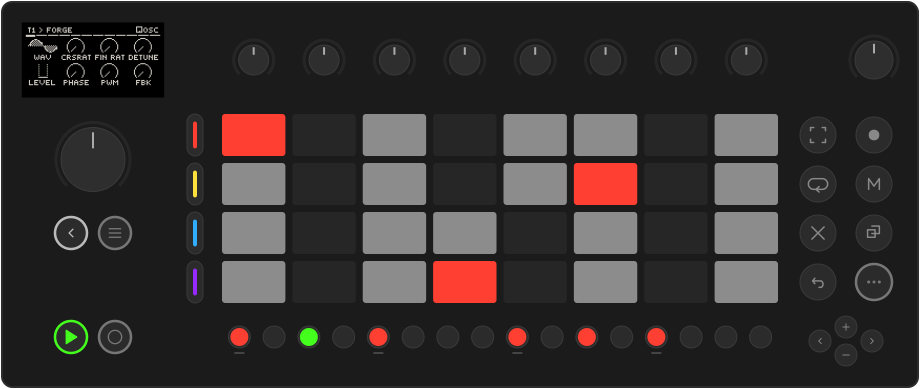
Movy turns Move into a groovebox for Schwung modules. Every module's parameters land on the eight knobs as clear, readable pages. Underneath runs a 16-track sequencer that plays like Move's own, with per-step parameter locks, automation, LFOs, scenes and a song mode.
What you get
-
Sixteen tracks, four groups
Each track hosts its own chain: MIDI FX, synth, two effects and a mixer strip. The four track buttons address one group of four at a time.
-
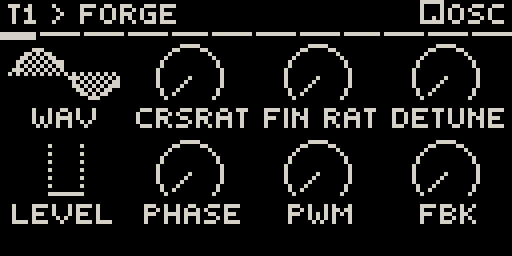
Every module on eight knobs
Parameter pages drawn as arcs, switches, envelopes, filter curves and sample waveforms. Presets, sample browsing and drum racks included.
-
A sequencer that feels like Move
Clips, live recording with count-in, step recording, Capture, a non-destructive quantize, copy and delete. If you know Move, you know this.
-
Locks, conditions and LFOs
Lock any parameter on any step, also on steps without notes and per drum voice. Add trig probability and conditions, and two LFOs per track.
-
Scenes, songs and a mixer
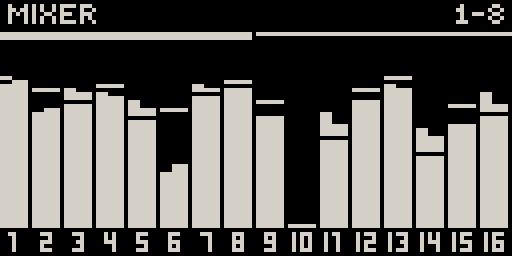
Launch whole columns of clips as scenes and chain them into a looping song. Mix all 16 tracks on one screen, with three shared send effects.
-
Generators
Hold a step button and Movy offers new takes on your clip: tightened, varied, doubled with an ending, or a brand-new part that fits the scene.

See it in action
Movy Turns The Ableton Move Into a 16-Track Groovebox, by Takton.
Filmed with Movy 0.29 (August 2026)
The sequencer, locks and LFOs work as shown. Since then the parameter pages look different, Movy runs in place of Move's software, and scenes, songs, send effects, the mixer and the generators were added.
What you need
- An Ableton Move with Schwung 1.6.0 or newer installed.
- At least one Schwung sound module (a synth or a drum machine) to play.
Movy is free and open source. It is an independent project and is not made or supported by Ableton.
Early software
Movy works on real hardware and is tested end to end, but it is still young. Expect rough edges. Bug reports with clear steps help the most.