Mixing & effects
Master volume
Works like Move: the volume knob
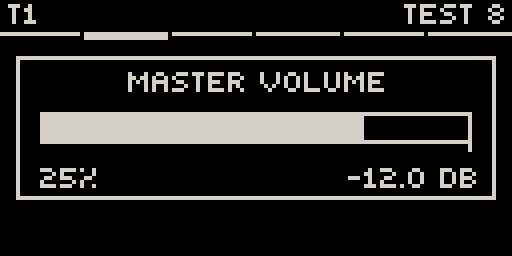
The volume knob on its own is the master volume. Touch it to see the slider. Each detent is 1 dB, from silence up to 0 dB. Movy remembers the level across Sets and restarts.
Track volume
Works like Move: hold a track button + volume
Hold a track button and turn the volume knob to set that track's level. 100 % (0 dB) is unity, marked by the tick under the bar. Above it you are boosting, so watch for clipping.
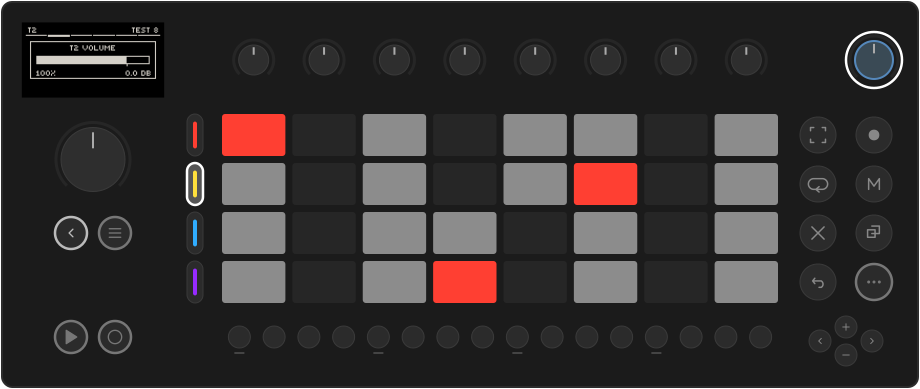
The level is saved with the Set. The track buttons reach the focused group; for other tracks, use the MIX page or the Session mixer.
The MIX page
The last slot of every track's chain is MIX, the track's mixer strip:
| Knob | Parameter |
|---|---|
| 1 · VOL | Track level, silence to +12 dB (the same control as track volume). |
| 2 · PAN | Stereo position: C, L50, R100… |
| 5 · SEND1 | Amount sent to send effect 1. Full right is 0 dB. |
| 6 · SEND2 | Amount sent to send effect 2. |
| 7 · SEND3 | Amount sent to send effect 3. |
All five can be locked and automated like any parameter: a reverb throw on one snare hit is a SEND lock on that step. The sends are taken after the fader and pan, so turning a track down takes its reverb with it, and muting a track mutes its sends.
The Session mixer
In Session view (tapped, so it stays), hold Note/Session. After a moment the screen becomes a mixer for all 16 tracks. Let go to return.
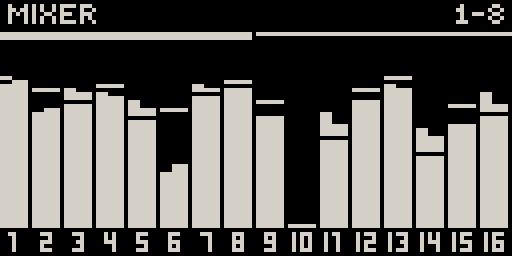
Each strip shows a stereo level meter and a fader line. The eight knobs drive tracks 1–8; turn the jog for tracks 9–16. Touch a knob to see that track's exact level:
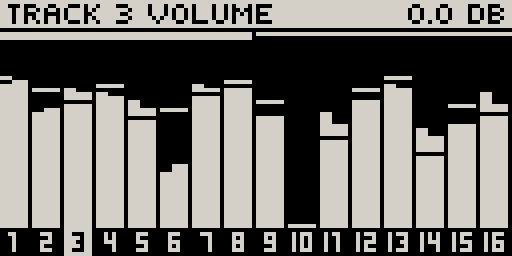
These are the same faders as VOL on each MIX page.
Send effects
The master chain starts with three send slots, SEND 1–3. Each holds one audio effect, shared by every track that sends to it.
- Press Note/Session. The screen shows the master chain.
- Turn the jog to SEND 1, click, and load an effect, for example a reverb.
- On each track that should use it, raise SEND1 on its MIX page.
Sends are for effects you mix in: reverb, delay, chorus. One shared reverb puts the tracks in the same space and costs far less than one per track. Effects that replace the sound (distortion, compression, EQ) belong in the track's own FX slots.
Drum voices with their own sends. On Simian and DR32, each voice has Send A and Send B knobs on its pad page. Send A feeds SEND 1 and Send B feeds SEND 2, voice by voice, on top of the track's own sends. Put only the snare in the reverb and keep the kick dry.
The master chain
After the sends come four master effects, MFX 1–4, which process the whole mix, then the master LFO page. Navigate them like a track's chain: jog to a slot, click to open or load. A limiter at the very end keeps the output from clipping.
The master chain is saved with the Set, so each Set keeps its own master sound.